
How it works
Your entire marketing department,
in one place.
Here's everything it does while you're out doing weddings.
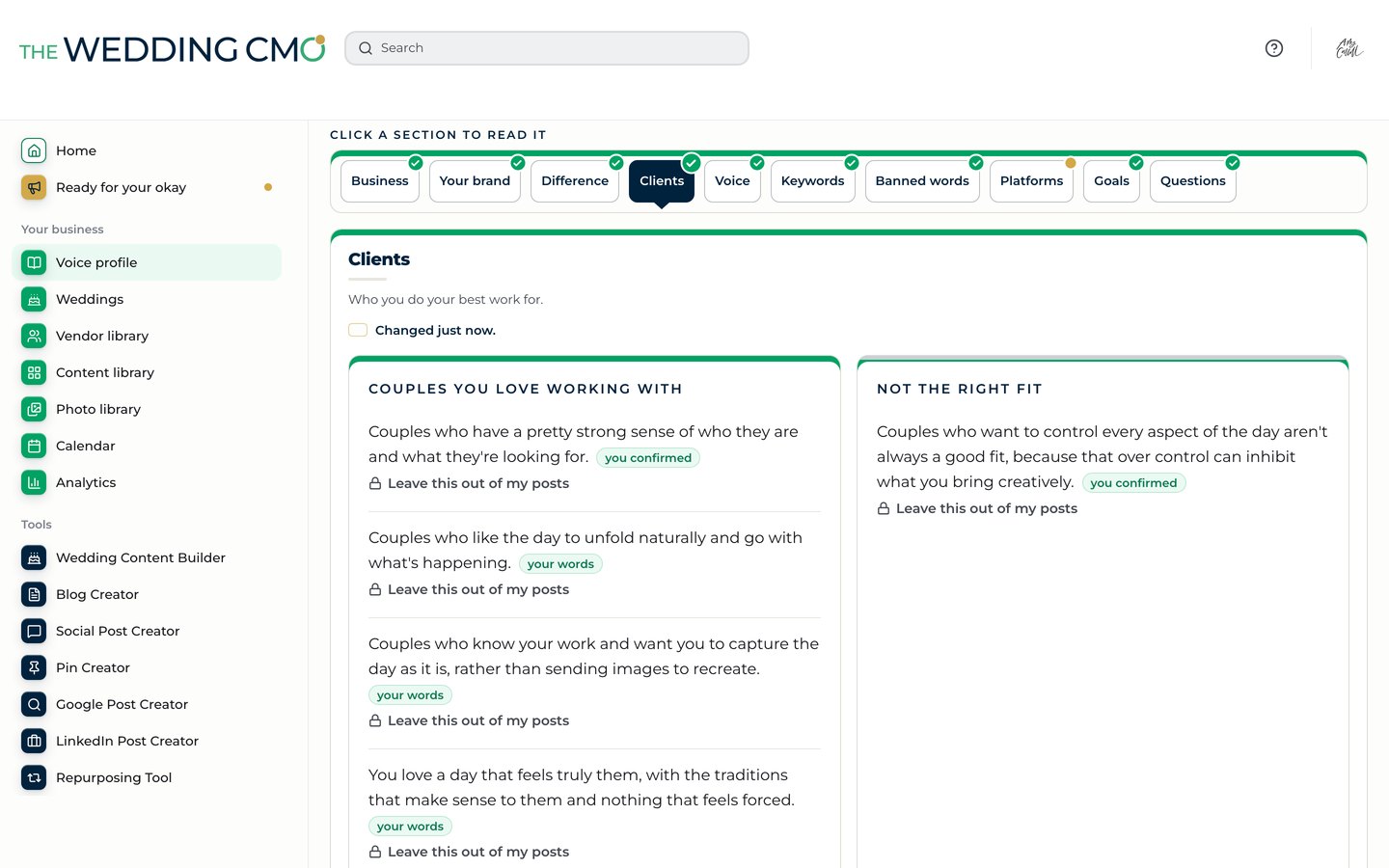
It gets to know you
Your voice profile
It starts with
a conversation.
Tap the mic and talk about your business, your couples and how you sound. It also reads your website, your socials and your Google reviews to learn what makes you different, and follows your brand guidelines if you have them. Then it builds your voice profile, and you okay every section.
Will it sound like me?
Yes. That's the whole point. It writes from your own words, not a template. And the longer you use it, the better it gets to know you.

Your calendar
It knows when
your weddings are.
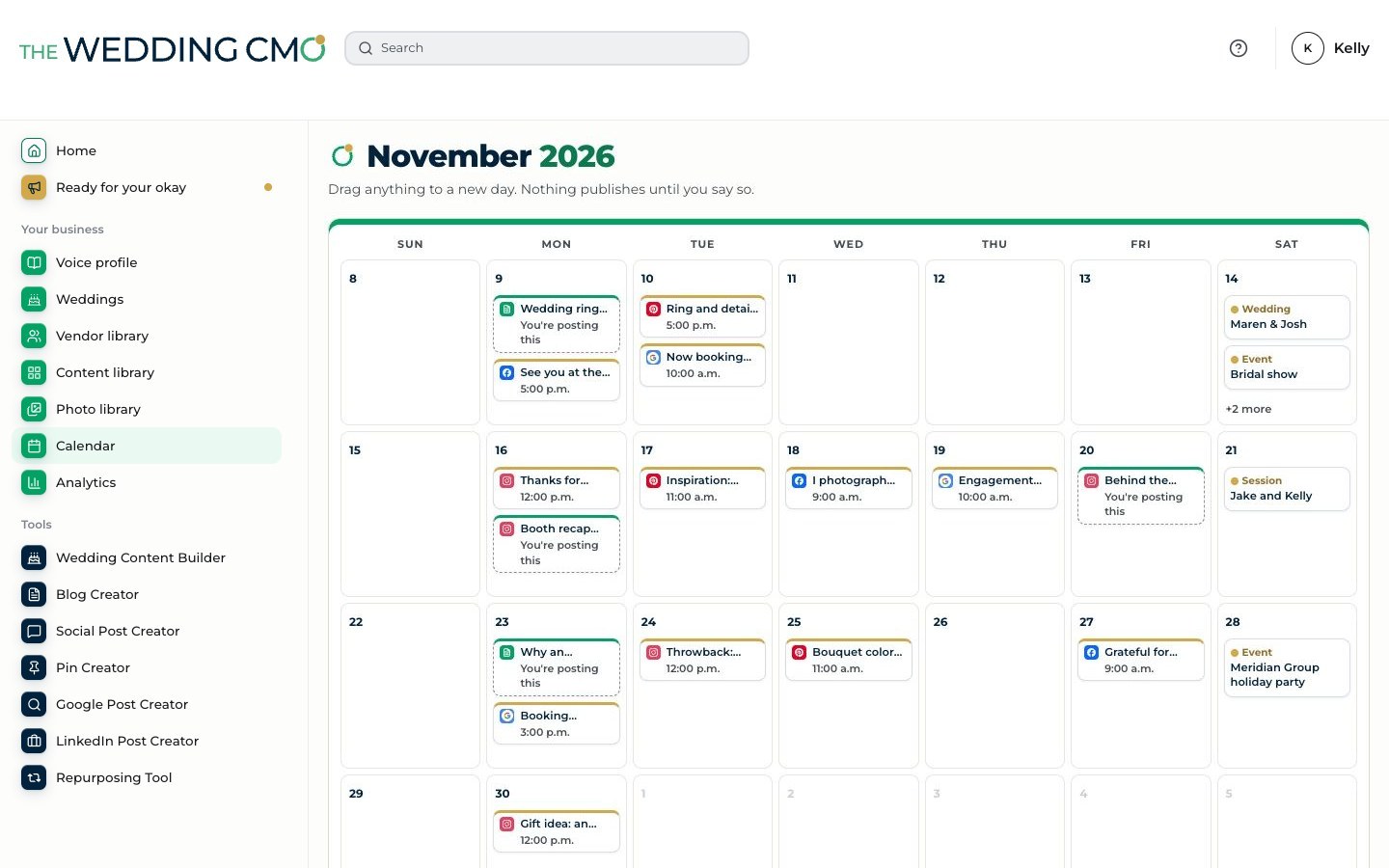
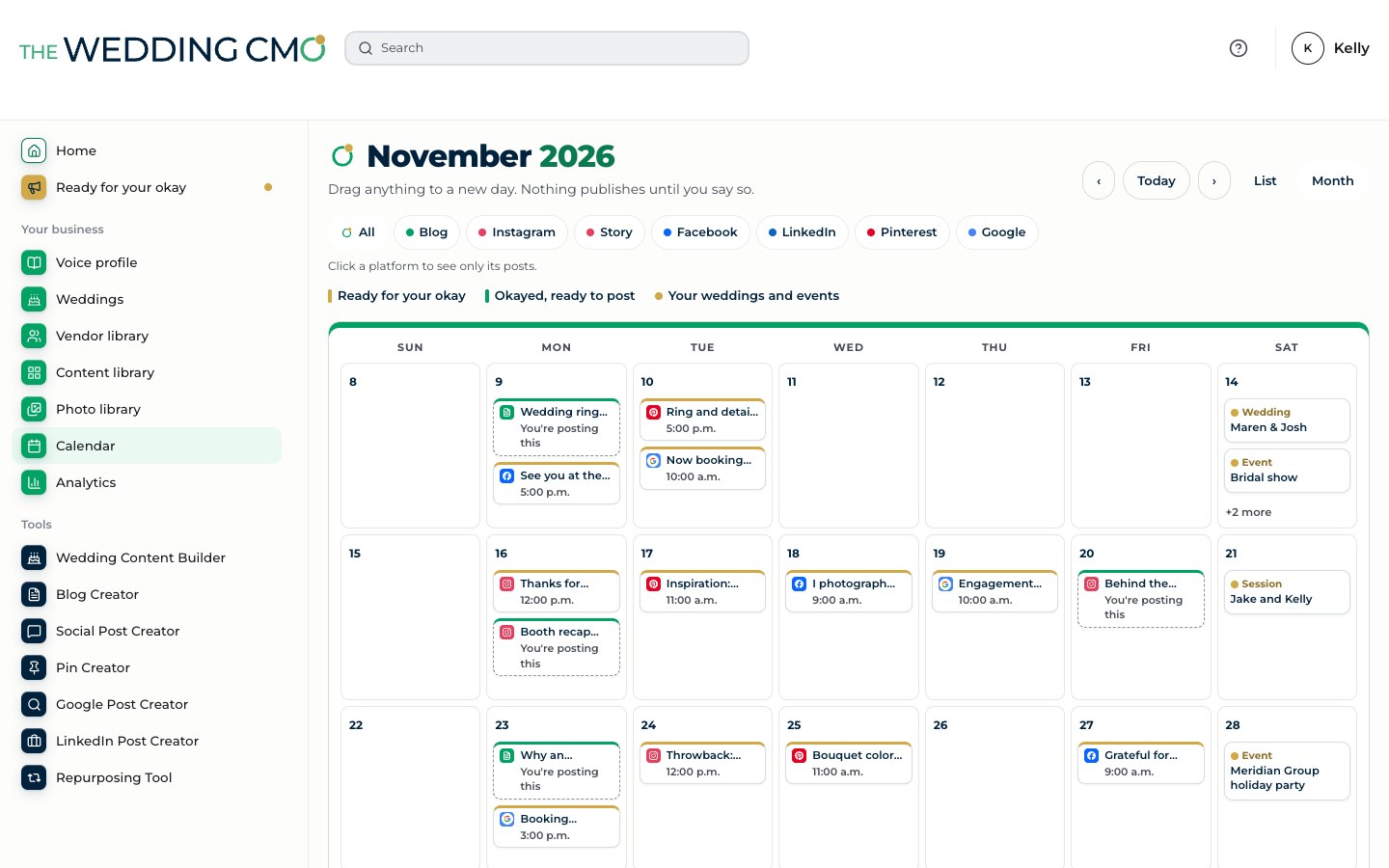
Link the calendar you already use, and it sees every wedding, event and bridal show. A countdown before, a sneak peek the Monday after and an email to the photographer when it’s time to ask for the gallery.
Works with























If your booking tool syncs to a calendar, it works. It only reads your calendar and never changes it.
Which calendars does it work with?
Google Calendar, Outlook and Apple Calendar, plus Acuity Scheduling, Aisle Planner, Bloom, Bonsai, BriteBiz, Calendly, Check Cherry, Curate, Dubsado, Event Temple, GigSalad, HoneyBook, Light Blue, Perfect Venue, Pixieset, Planning Pod, Releventful, ShootProof, Studio Ninja, Táve, Tripleseat and 17hats. A few of them sync only through Google Calendar. If your booking tool syncs to one of those three calendars, it works too.
It creates your content
Weeks of content
One wedding.
20 pieces of content.
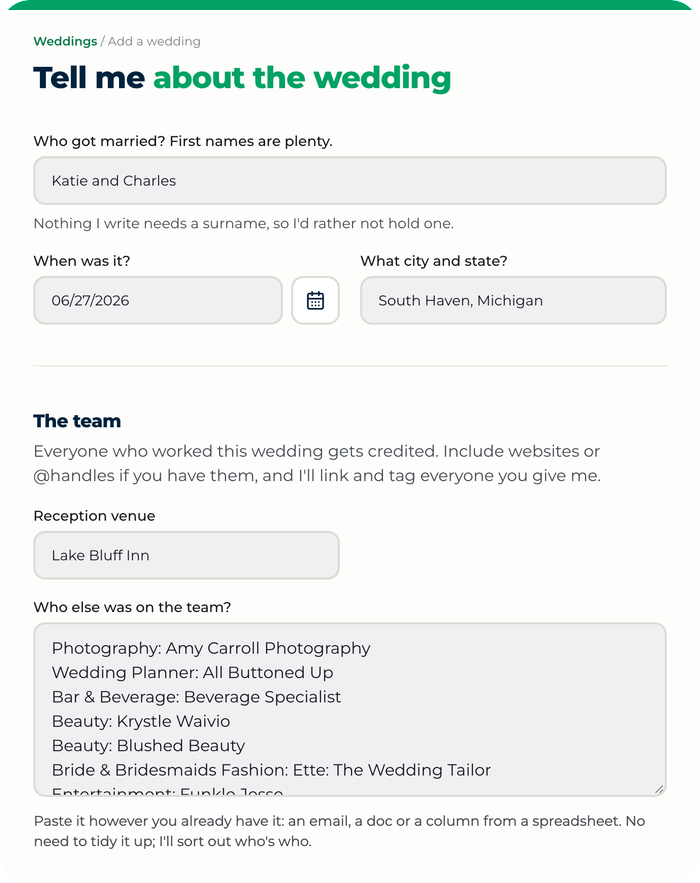
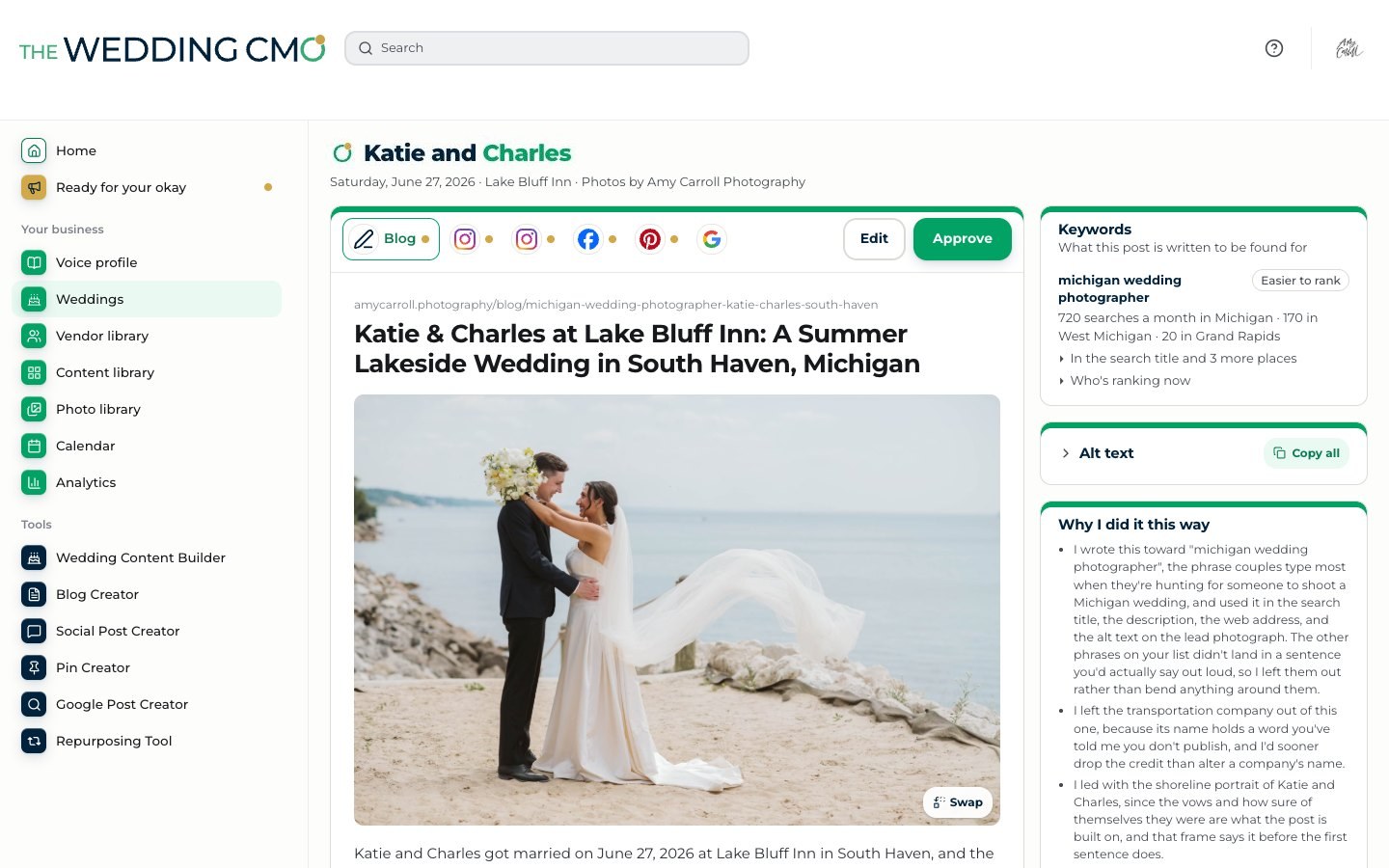
Add your photos and your vendor team, then talk through the day. It writes every piece in your voice, credits your team and writes the blog post for search.
What does it make from one wedding?
A blog post to be found on Google and in AI search, three Instagram posts, an Instagram Story, two Facebook posts, up to 10 Pinterest pins, Google Business Profile posts and a review request for the couple, each written for where it’s going.
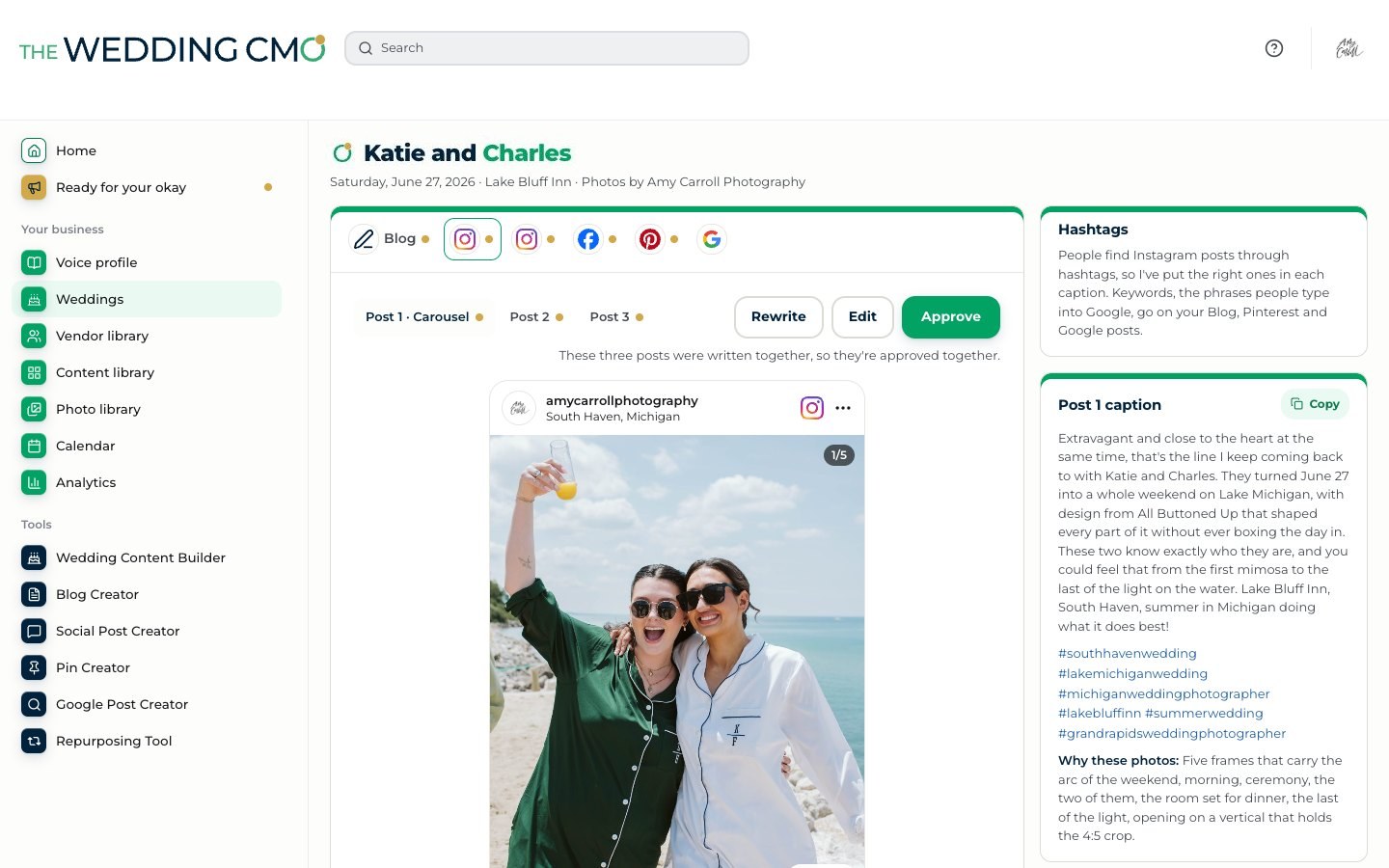
- Blog post
- 3 Instagram posts
- An Instagram Story
- 2 Facebook posts
- Up to 10 Pinterest pins
- Google Business posts
- A review request
Search
Built to be found
on Google and
in AI search.
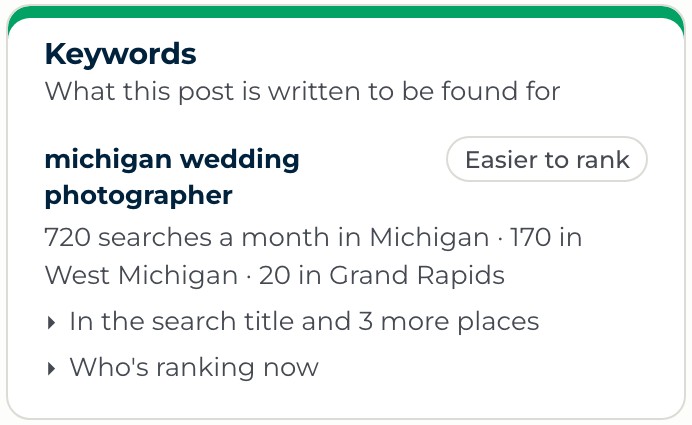
Every blog post is built on what couples near you actually search for, on Google and in AI tools like ChatGPT, Gemini and Claude. It picks the searches you have a real shot at ranking for, not the ones the big wedding sites already own, and works them into your title, your description and your photos, so couples find you wherever they search. No keyword research for you to do. Ever.
Where do the search numbers come from?
Real search data for your area: how many people search each phrase every month and how easy each one is to rank for. It picks the ones you have a real shot at, so your posts get found.
Your photo library
Never hunt for
a photo again.
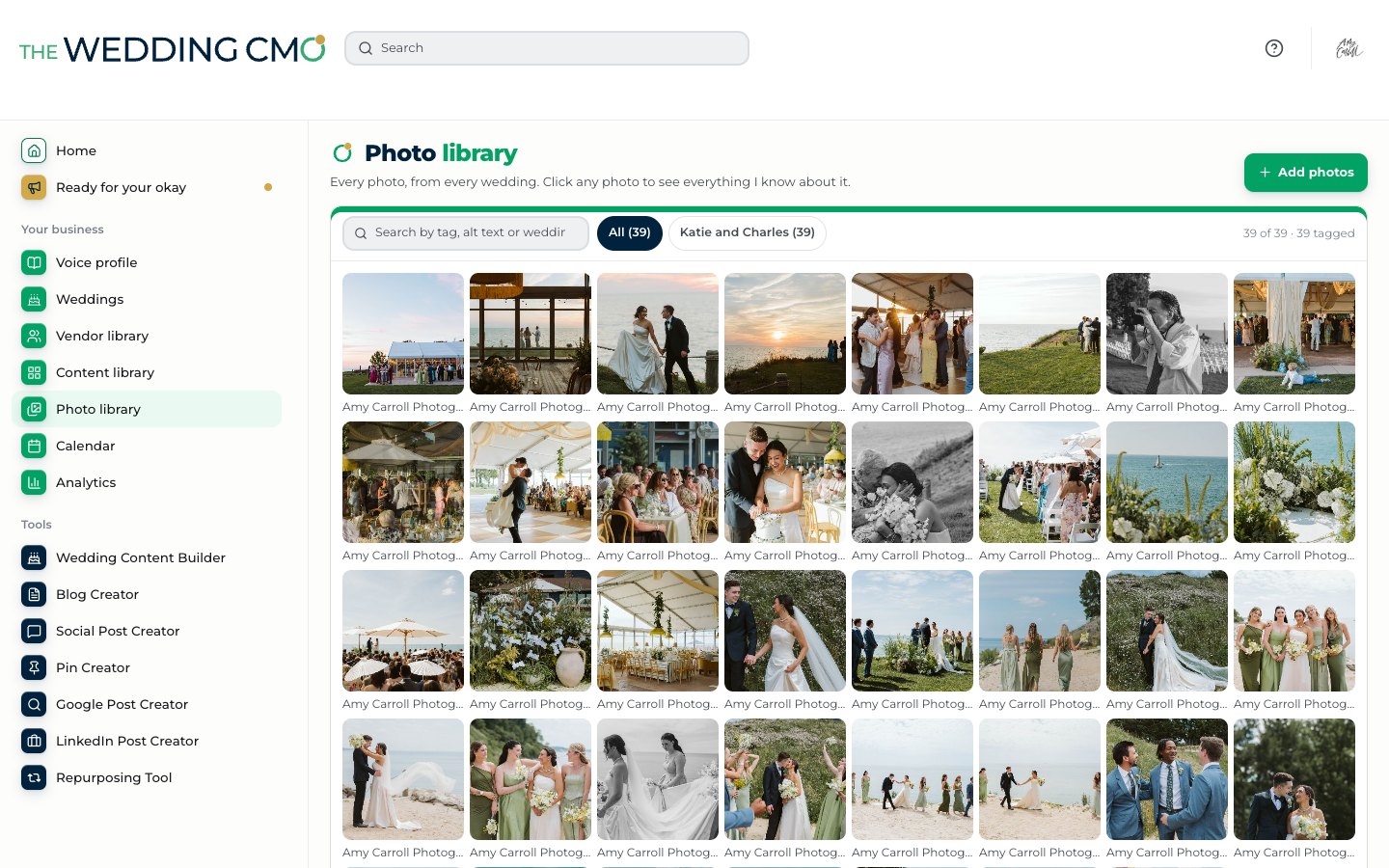
Every photo is tagged as you upload it, so you can search by the couple, the venue, every vendor or what’s in the frame. Type “bouquet” and every photo with a bouquet comes up. Star your favorites and it uses them first.
What about photo credit?
We built it so credit can’t be skipped. A photo can’t be added without its photographer’s credit, and nothing posts without it.
Your vendor library
The whole vendor team,
credited on every post.
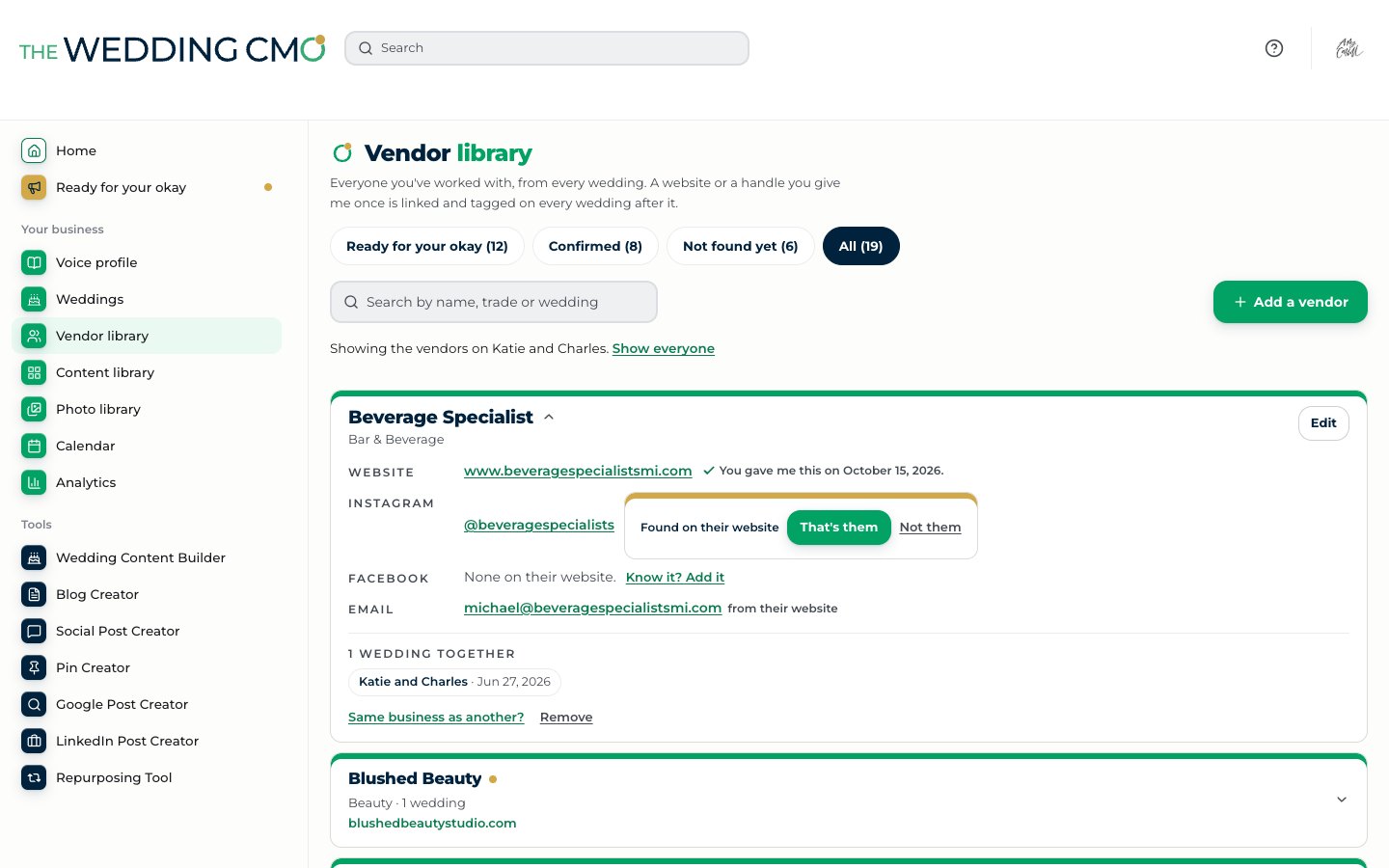
Paste in the vendor team and it does the rest. It finds each vendor’s website, Instagram and Facebook, plus their email when it’s published, and checks with you on any it isn’t sure of. Every vendor is credited on every post. And because it found their emails, it offers to write the whole team an email when the posts go out, letting them know they were featured. That’s how you build community and grow your referral network.
Your own templates,
in your colors.
Send it one of your designs, and it builds your template from its colors and style.
It keeps learning
Every edit counts
It keeps learning
every time you edit.
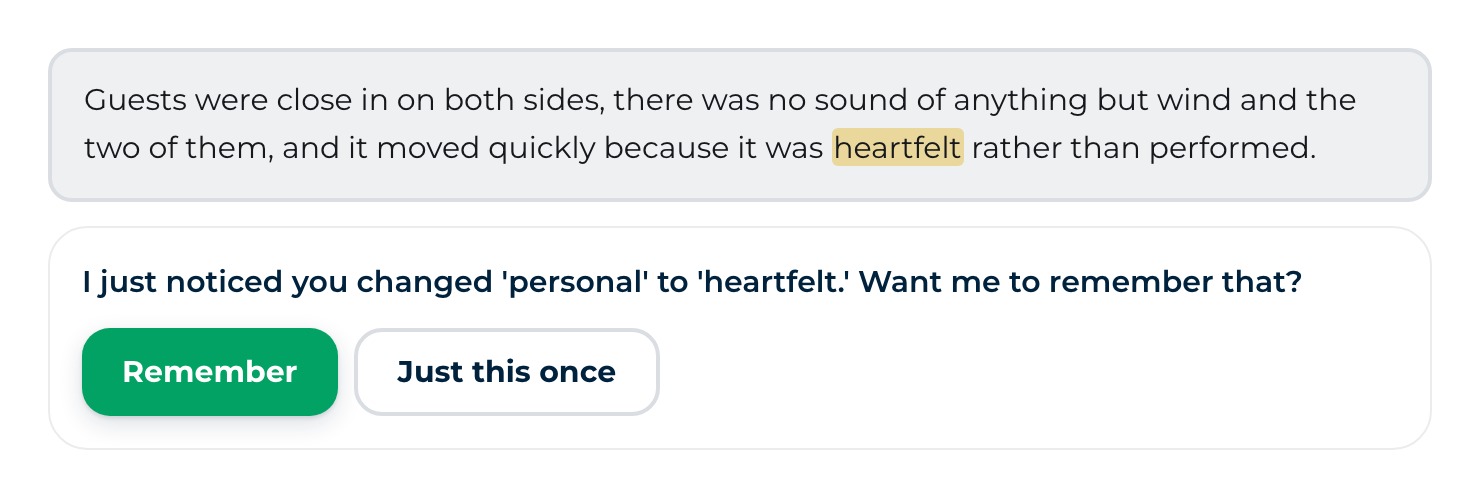
Every edit teaches it something. Change “personal” to “heartfelt” and it asks whether to remember that or use it just this once. Confirm a vendor’s Instagram once and they’re tagged on every wedding after. Star a photo and it reaches for it first. Add a word you’d never use and you’ll never see it again. And as your posts go out, it sees which ones couples save and share and plans more like them. The longer it works for you, the more it sounds like you.
It posts for you
Publishing
You approve. It posts.
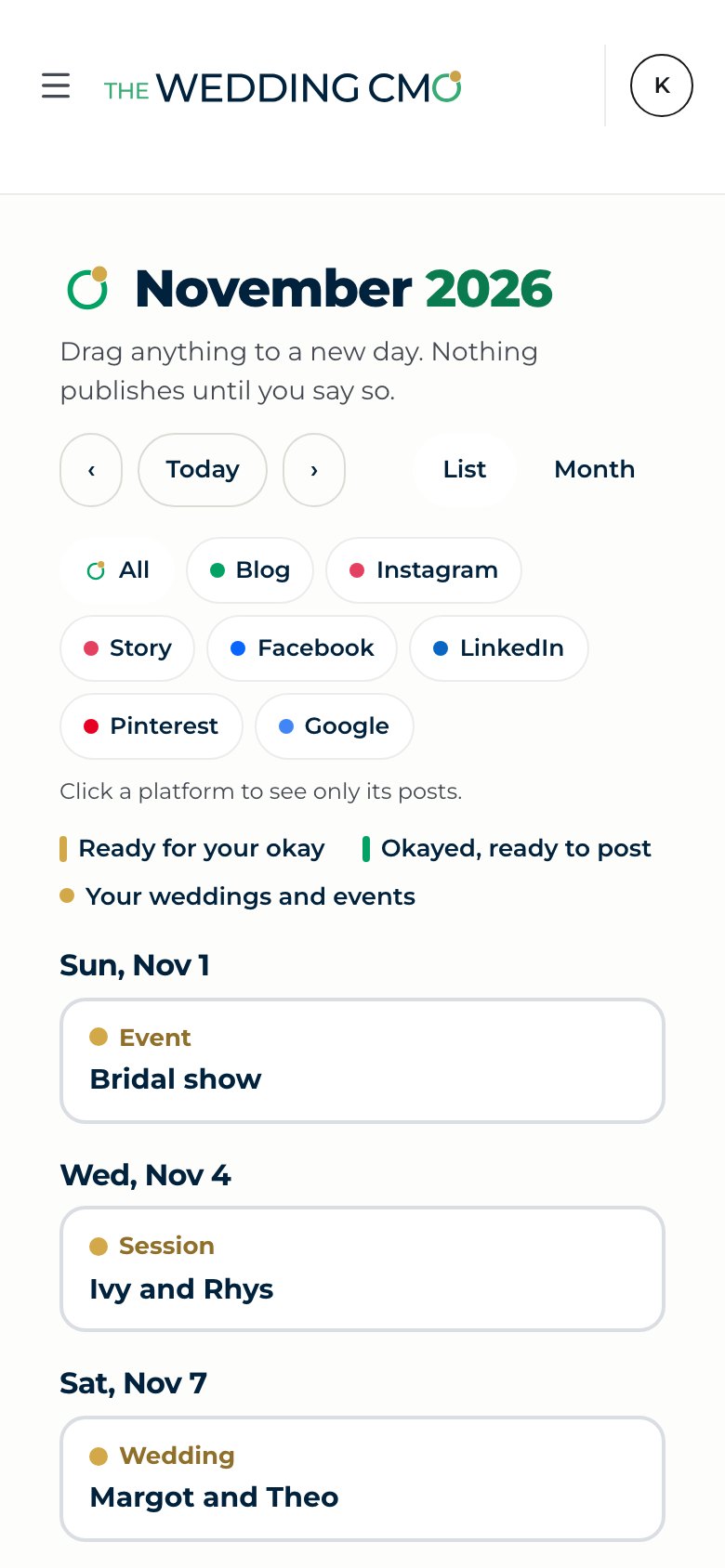
Approve a piece, choose the day or let it choose, and it's on your calendar. See every platform at once or one at a time, drag anything to a new day. Nothing posts until you okay it.
It repurposes your content
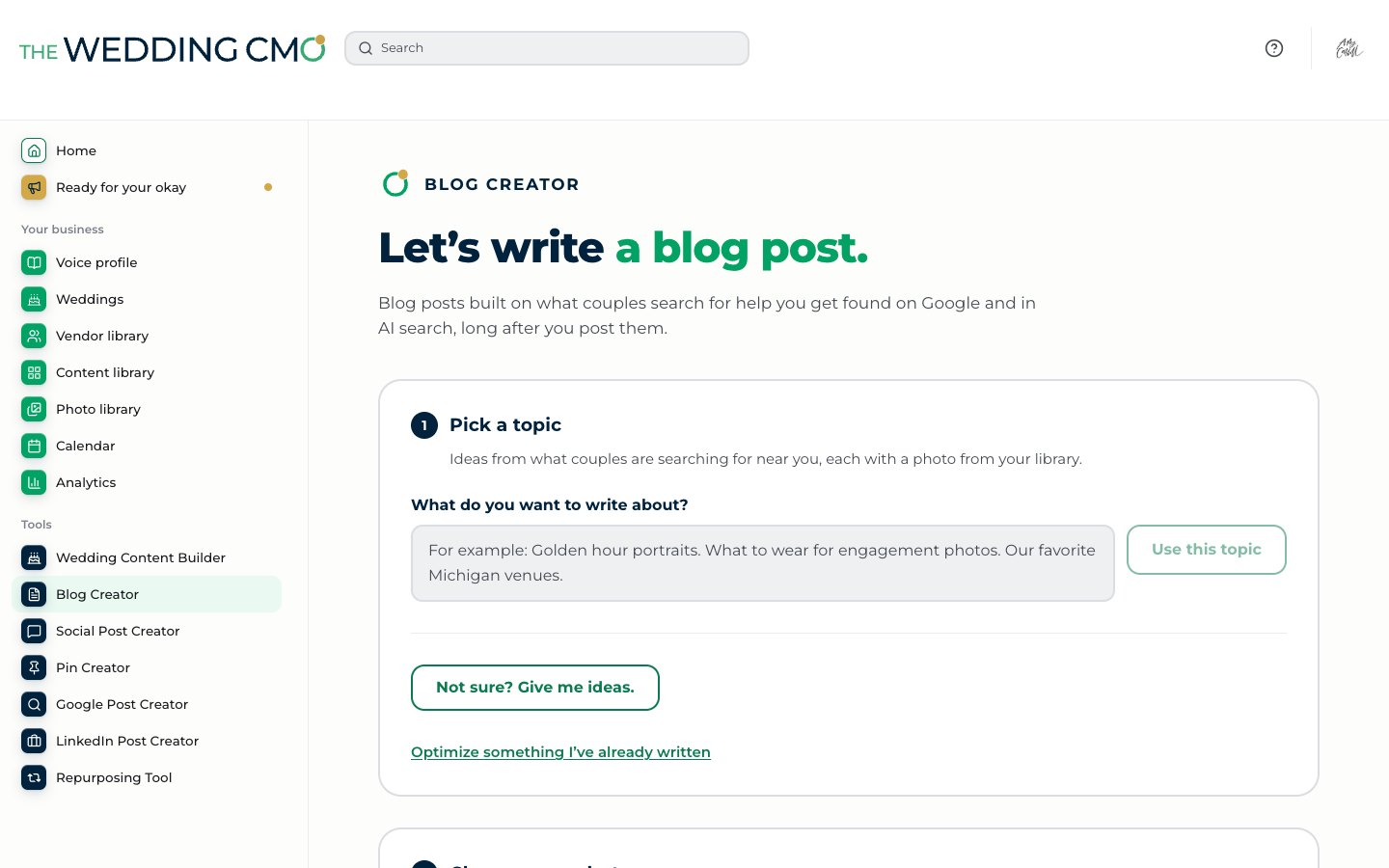
Every tool on its own
Not every post
needs a wedding.
Give it a topic, or let it suggest one from what couples near you are searching for, and it writes the post in your voice with your own photos.
It also reads your website, finds the blog posts worth sharing again and writes the social and Google posts to go with them.
Tap a tool to see it
Blog Creator writes a full post on any topic, built on what couples near you search for, so you get found on Google and in AI search.
Beyond wedding season
Helps keep your calendar
full year-round.
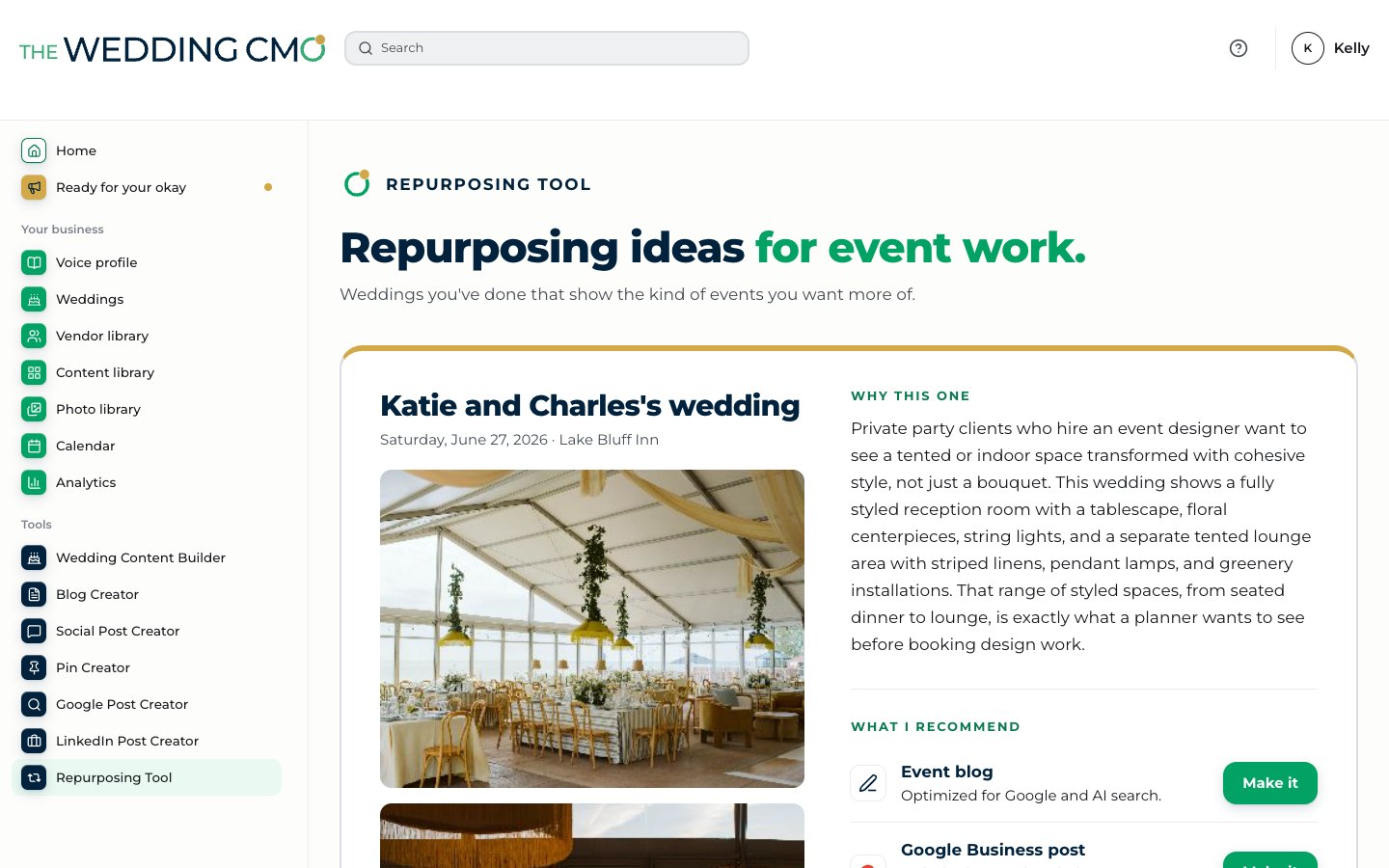
It turns the work you’ve already done into blogs, LinkedIn posts and Google posts built to be found by people planning holiday parties, galas and corporate events. So wedding season isn’t the only season that pays the bills.
It tells you what’s working
Your analytics
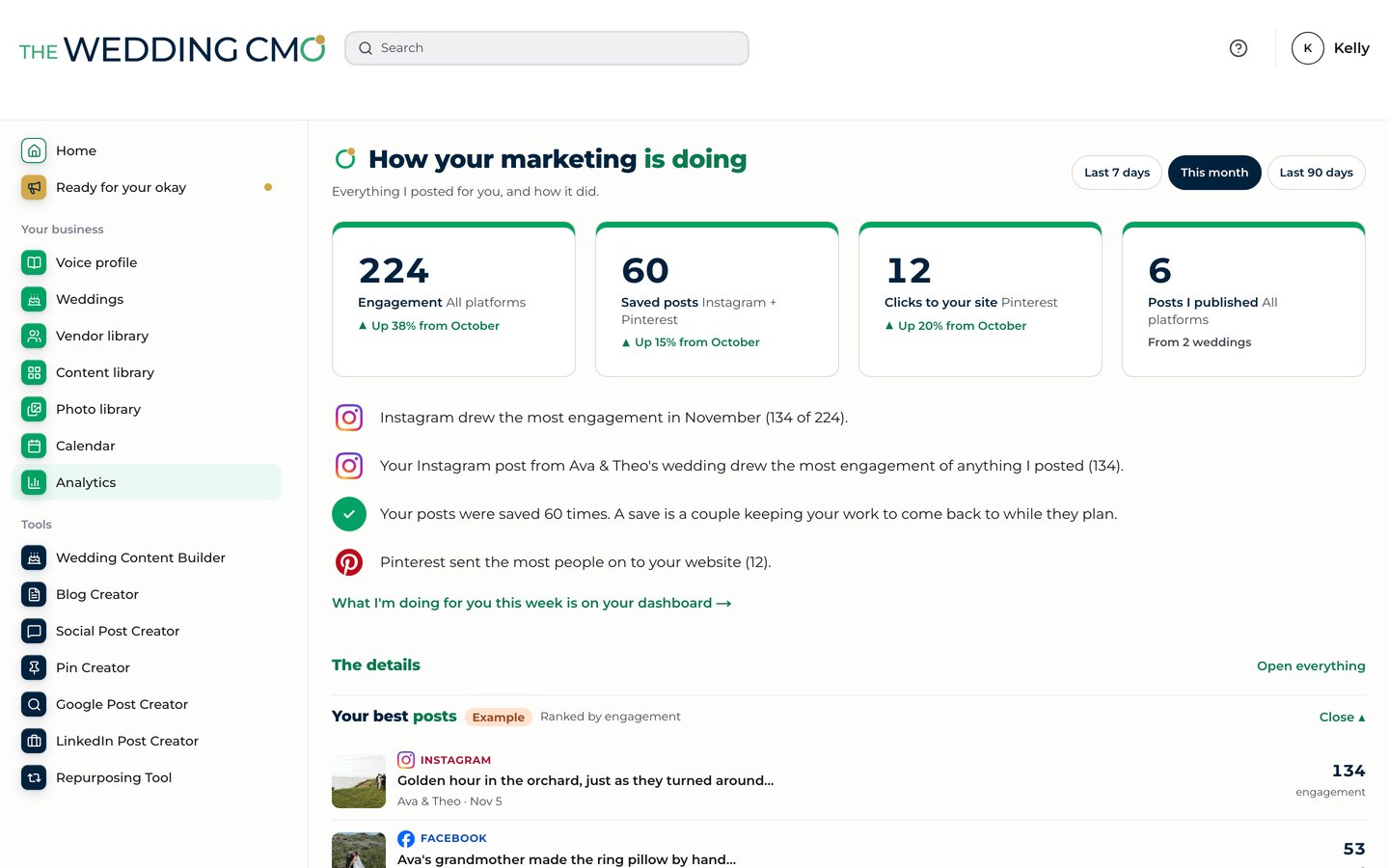
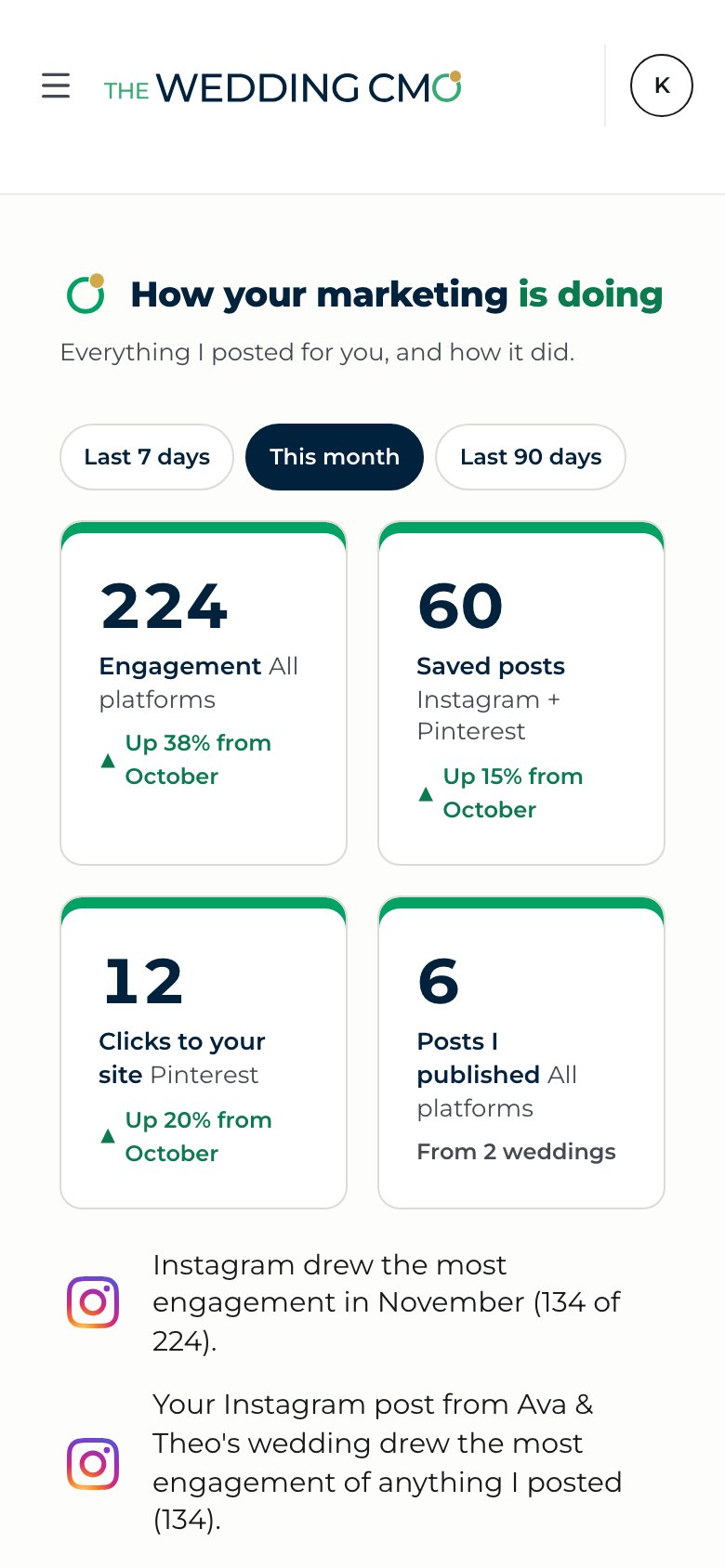
It sees what’s working.
Then it does more of it.
It doesn’t just show you numbers. It looks at how every post did and tells you in plain words what’s working and why. Then it plans more of what works. All you do is say okay.
Let us introduce you to your next hire.
Tell it about your business, see your voice profile
and watch one of your weddings become
20 pieces of content, right from your phone.
Everything it makes is yours to keep.
Stay up to date
What's new in The Wedding CMO, plus what's working for wedding pros right now.

Still have questions? See the FAQ.
Want more from your website?
Beyond The Wedding CMO, our team can build you a new one or improve the one you have, with the SEO that gets you found, from local searches to every page of your site. Let's talk.